World building
Sculpt terrain, paint layers, scatter foliage, add water and place actors by the thousand.
The conduit between AI and engine.
UE Conduit is the Unreal Engine plugin built by Jag Journey. It puts your AI agent inside the editor with 568 tools, so it can build the level, wire the Blueprint, play the game and check its own work, like it is sitting at the computer with you.

No copying prompts between windows. Your agent calls a tool and the change happens in the editor you have open.
These are the big groups. The work goes much deeper than this list, across all 568 tools your agent can reach.
Sculpt terrain, paint layers, scatter foliage, add water and place actors by the thousand.
Create Blueprints, add nodes, connect pins and compile, then read the errors back.
Build materials, Niagara systems and MetaSounds, and set their parameters.
Set up abilities, input, behavior trees and game modes.
Work with control rigs, montages, blend spaces and level sequences, plus widgets and HUDs.
Compile, cook and package. The build, test and fix loop reads its own errors and tries again.
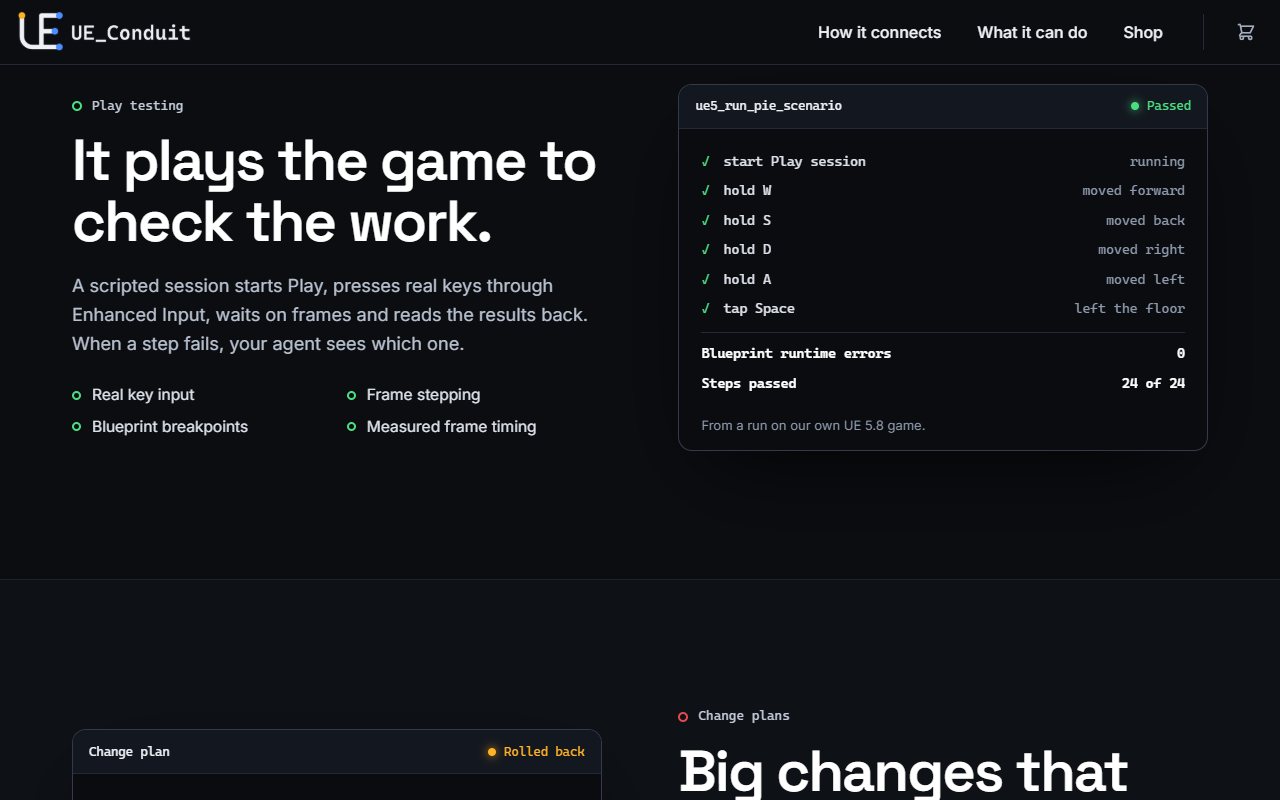
We built UE Conduit for our own Unreal Engine 5.8 game first, so it has to do more than make a change. It has to prove the change worked.
Bring the AI you already use: Claude, OpenAI, Grok, Gemini, Ollama or a custom endpoint.
Your agent keeps its context in Claude Code, Claude Desktop or any MCP client, so an editor crash does not lose the work.
It turns each tool call into a command, over stdio or Streamable HTTP.
A C++ plugin with no third-party dependencies runs each command through Unreal's own editor APIs.
See pricing and get UE Conduit on the UE Conduit website, or reach out with a question for our team.