Read and search
Before it writes, it looks. The agent lists folders, finds files by name, searches contents, and reads what matters.
Many models. One answer.
CodeMeYo is a free desktop coding agent from Jag Journey that runs the models you choose. Put several on the same task and they analyze in parallel, check each other, and land one change in your project.
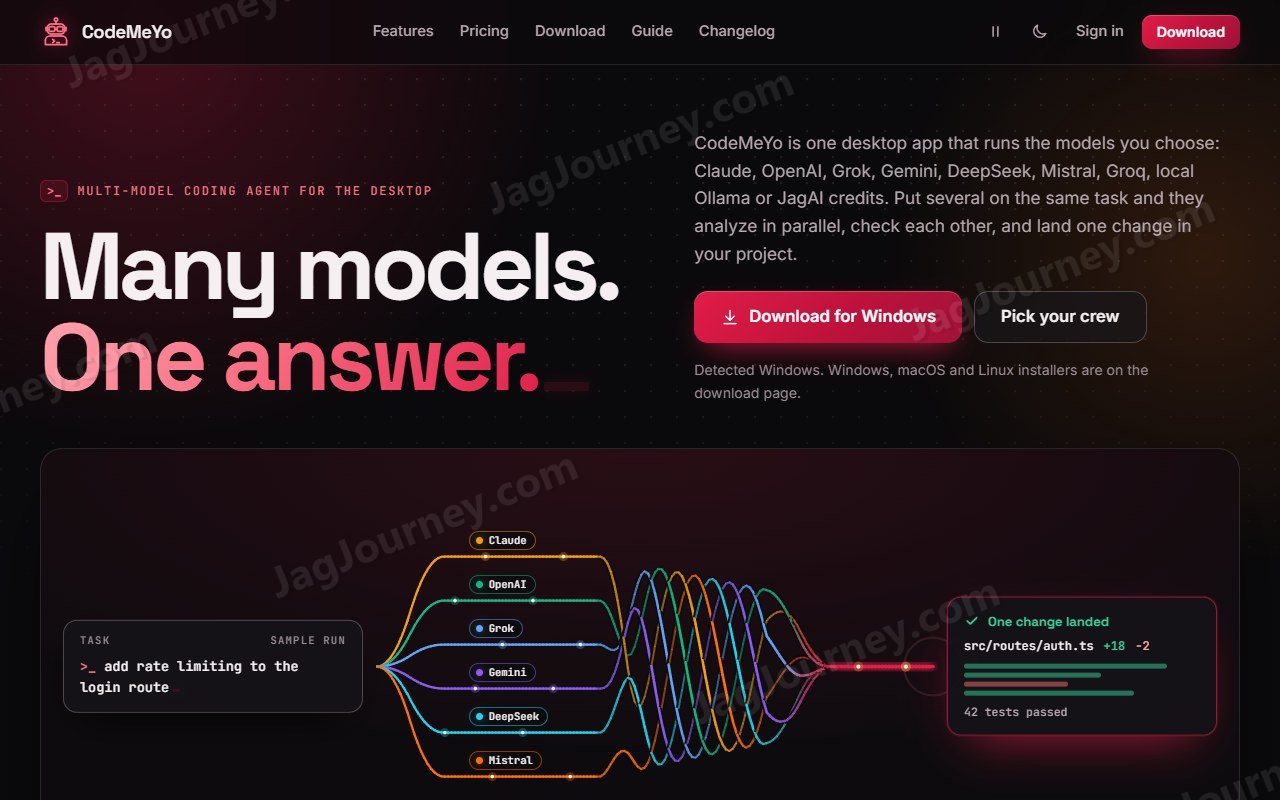
Bring your own keys, sign in with a plan you already pay for, or use credits, and mix them freely.
Code mode is the agent. It works inside the project folder you open, with 27 built-in tools, at the permission level you set.
Before it writes, it looks. The agent lists folders, finds files by name, searches contents, and reads what matters.
New files are written whole. Existing files get a targeted edit that replaces one exact string and leaves the rest alone.
Builds, installs, and tests run in the project folder. The agent reads the output and fixes what failed.
Status, commit, branch, push, and more. Below Full auto, the agent asks you before a git command runs.
It connects to a browser, reads the page, console, and network, then clicks, types, and takes screenshots to see what you see.
Add tools over the Model Context Protocol from a catalog of about 50 servers, or bring your own. The agent can only use tools that are on.
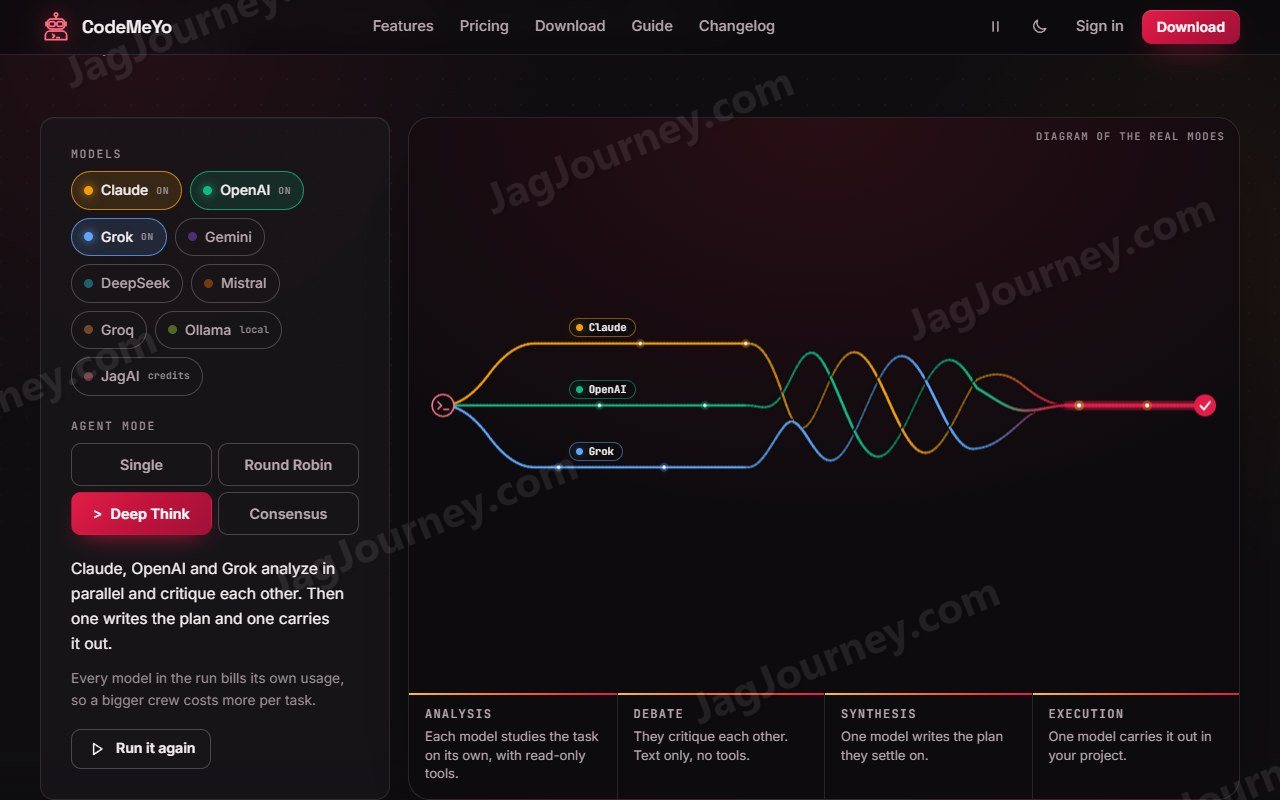
Turn models on and pick one of four agent modes. Every model in a run bills its own usage, so a bigger crew costs more per task.
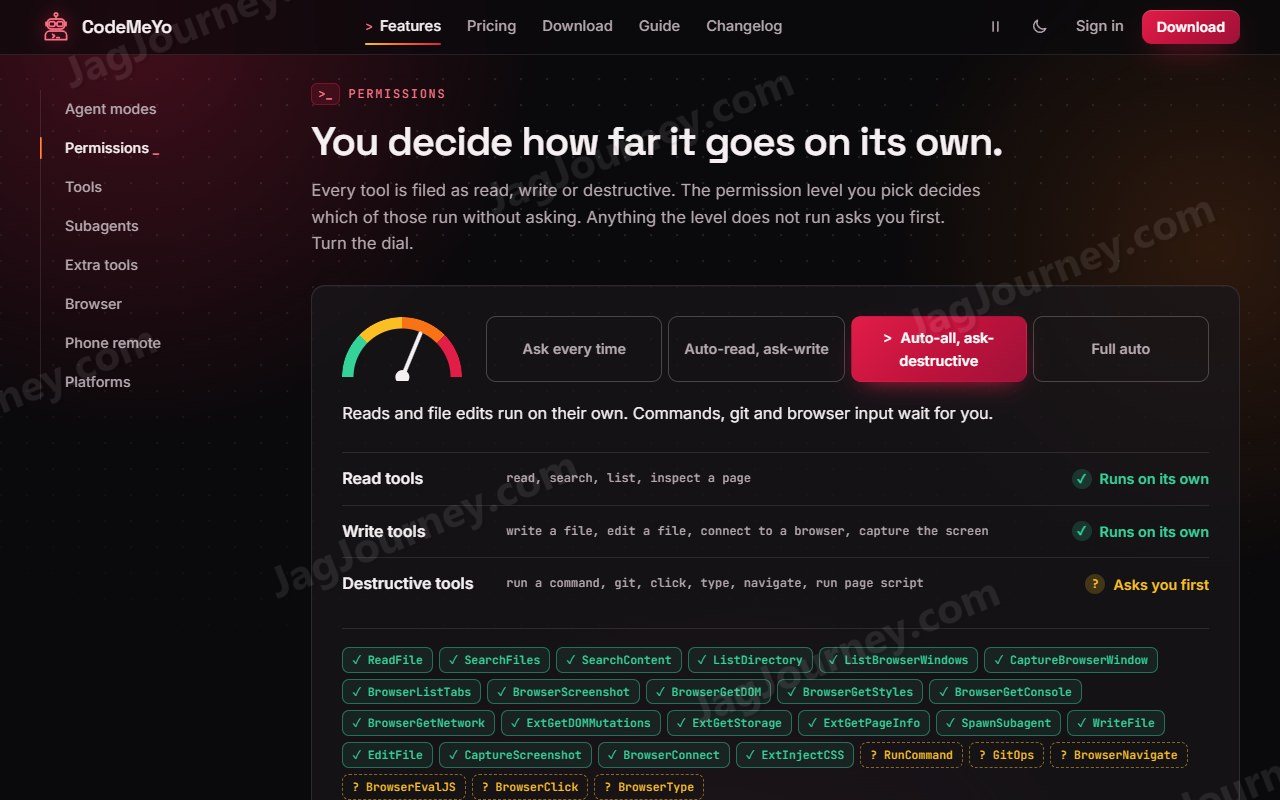
Every tool is filed as read, write, or destructive. The permission level you pick decides which of them run without asking, and anything else waits for you.
For a bigger task, raise the worker count and the agent can hand independent pieces to subagents that run side by side. Extra workers bill as more model usage.
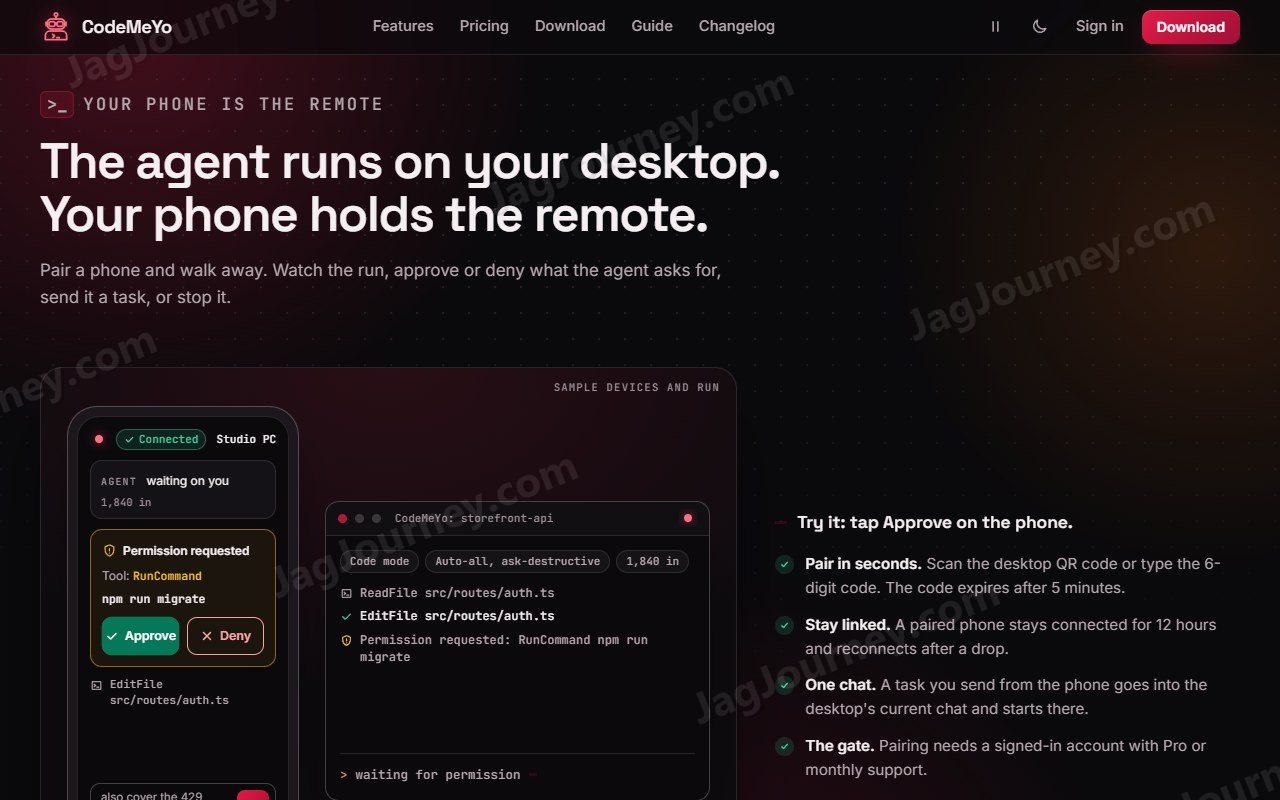
Pair a phone and walk away. Watch the run, approve or deny what the agent asks for, send it a task, or stop it.
Mix them freely. Each path has its own gate, stated plainly.
Paste a key for Claude, Grok, OpenAI, Gemini, DeepSeek, Mistral, or Groq, or run local Ollama with no key. Requests go straight to the provider you picked, and no account is needed.
Already paying for Claude Code, Codex, or Grok? Sign in with the vendor's own app and CodeMeYo drives it on your plan. This needs a signed-in account and monthly support.
One credit balance and no vendor keys. JagAI routes to hosted Claude, GPT, and Grok models in three tiers, and you pay as you go.
Your project stays on your computer. The agent works on your files where they are, and with your own keys what a task needs goes straight to the provider you picked. Usage sharing and crash reports never include prompts, replies, file contents, or API keys, and each has its own switch in Settings.
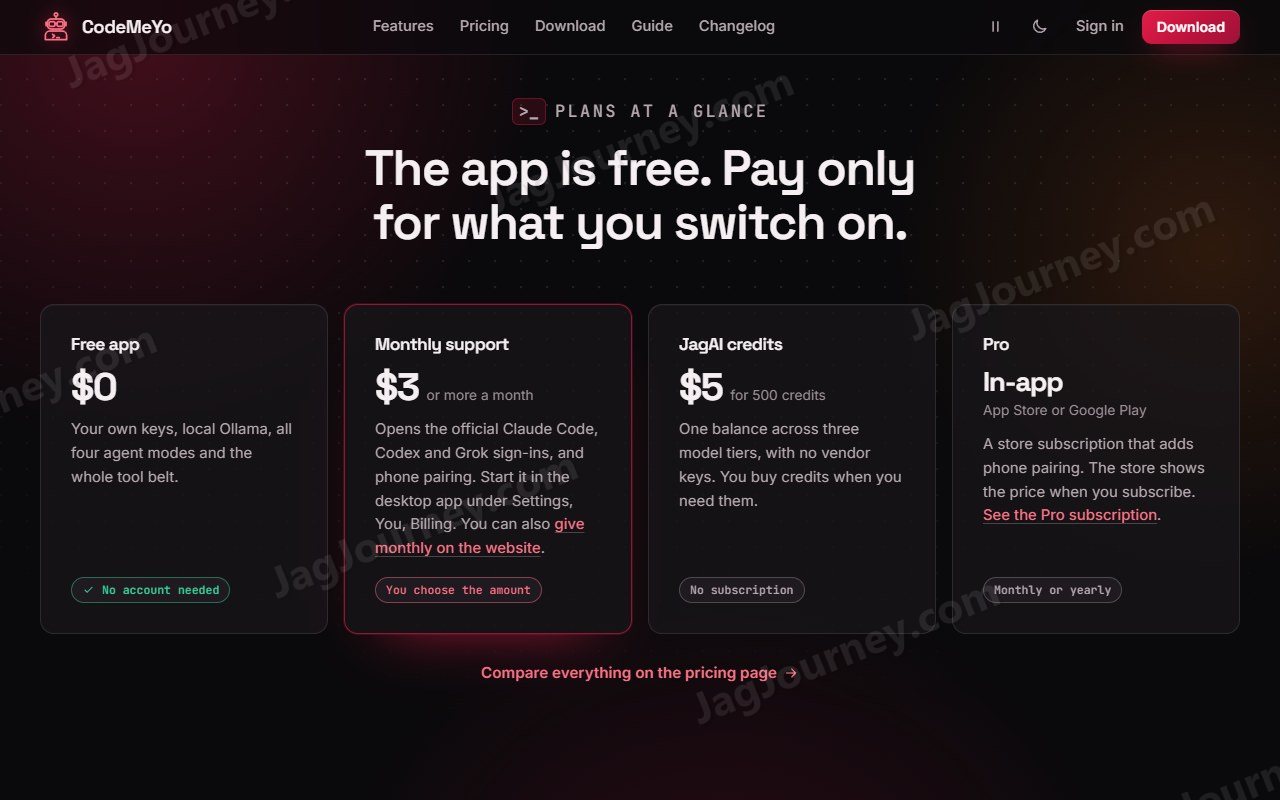
The free app includes your own keys, local Ollama, all four agent modes, and the whole tool belt. Everything else is optional.
Four steps, and the agent runs on your own machine.
Get the installer for Windows, macOS, or Linux from codemeyo.com. Signed in, it downloads right away. Otherwise, leave an email once.
The agent works from the folder you open, on your files where they are.
In Settings, Models, switch on the ones you want and pick a permission level. On Auto-all or Full auto, it writes code on its own.
Type what you want in Chat and send it. The Activity drawer shows each step while it works.
A free account adds in-app updates: signed-in installs check for a new version about every 30 minutes and update in place. Without an account, the app tells you when a new version is out and points you to the download page.
Download the free desktop app for Windows, macOS, or Linux on the CodeMeYo website, or reach out with a question for our team.
Your privacy
This website keeps the pages you view, your clicks and a replay of your visit to improve the site. Privacy Policy
We couldn't finish the security check. Your request has not been sent. Try again to continue.
If this keeps happening, reload the page and allow challenges.cloudflare.com in your browser.