Developer tools

Let's Git It

Every repository, one workspace.

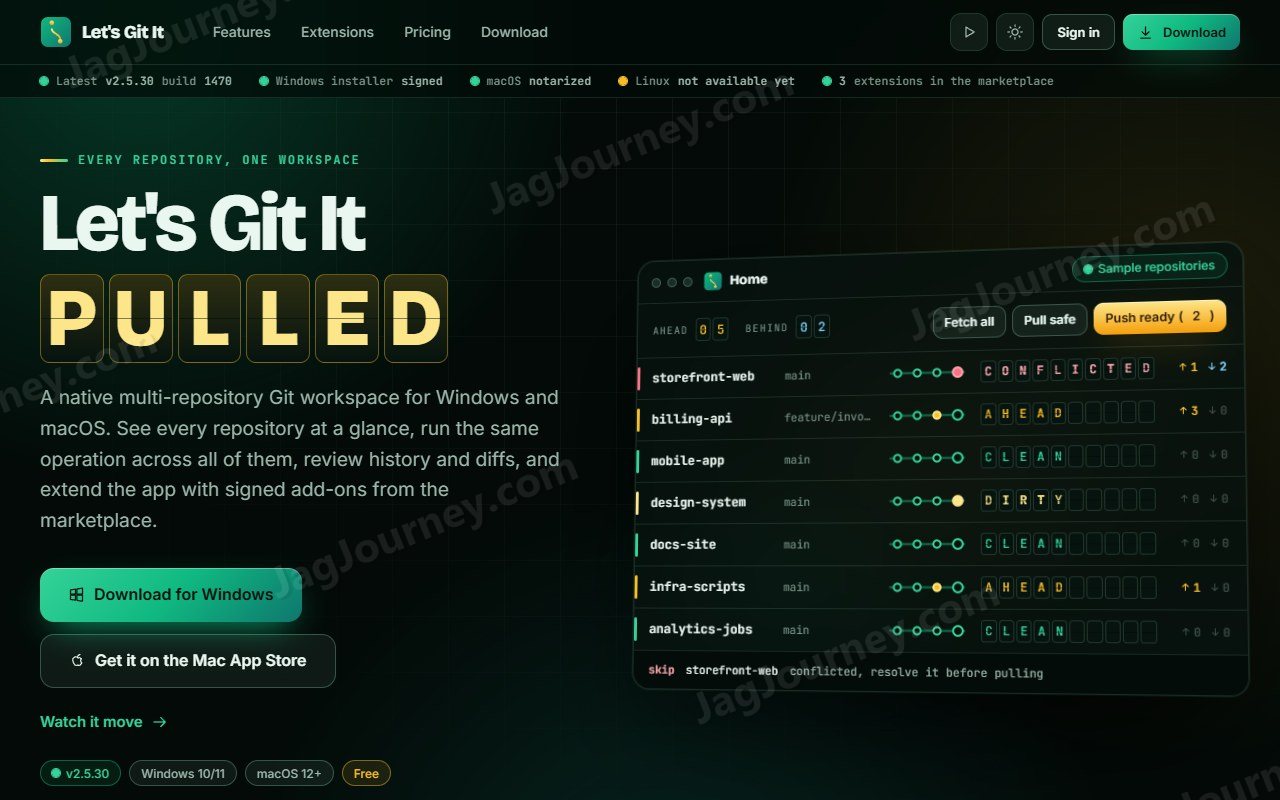
Let's Git It is a free native Git workspace for Windows and macOS from Jag Journey. See every repository at a glance, run the same operation across all of them, read history like a map, and add signed extensions from the marketplace.
Free core app Windows and macOS Signed extensions
The Let's Git It website home page, with a split-flap word under the name and a sample Home board of seven repositories marked conflicted, ahead, clean and dirty
Your code stays on your computerA desktop app, not a cloud service
At a glance

Every repository, one board.

No clicking into twenty folders to find out what needs you. The board tells you first.

What it is A native Git workspace that puts every repository you work in on one board.
Where it runs Windows 10 and 11, and macOS 12 or later, from the Mac App Store or as a signed and notarized direct download for Apple silicon.
What it shows Clean, dirty, ahead, behind, and conflicted repositories side by side. Status always has a word, never color alone.
How you start Download it free. No account is needed to start. An account is only for extensions and monthly support.
What it does

One workspace for the whole Git day.

Scan repositories, compare state, resolve conflicts, review history, and automate the work you repeat.

01

Multi-repo control

See which repositories are dirty, ahead, behind, clean, or conflicted together, then act on any of them without leaving the window.

02

Everyday Git, without the typing

Commit, branch, stash, and sync from buttons and menus. Every action is written to the log, so you can see exactly what Git ran.

03

Bring your own AI

Use your own key with a provider you choose, or a model that runs on your computer. Ask about a change, or have a commit message written from what you staged.

04

Automation and backup

Schedule the routine jobs, and back up to a local folder, a network share, or cloud storage. Every run is logged, so you can see when one failed.

05

Signed extensions

Install reviewed add-ons from the marketplace. Each one declares its permissions before it runs.

06

Free on both platforms

The core app is free on Windows and the Mac App Store. Paid add-ons stay optional.
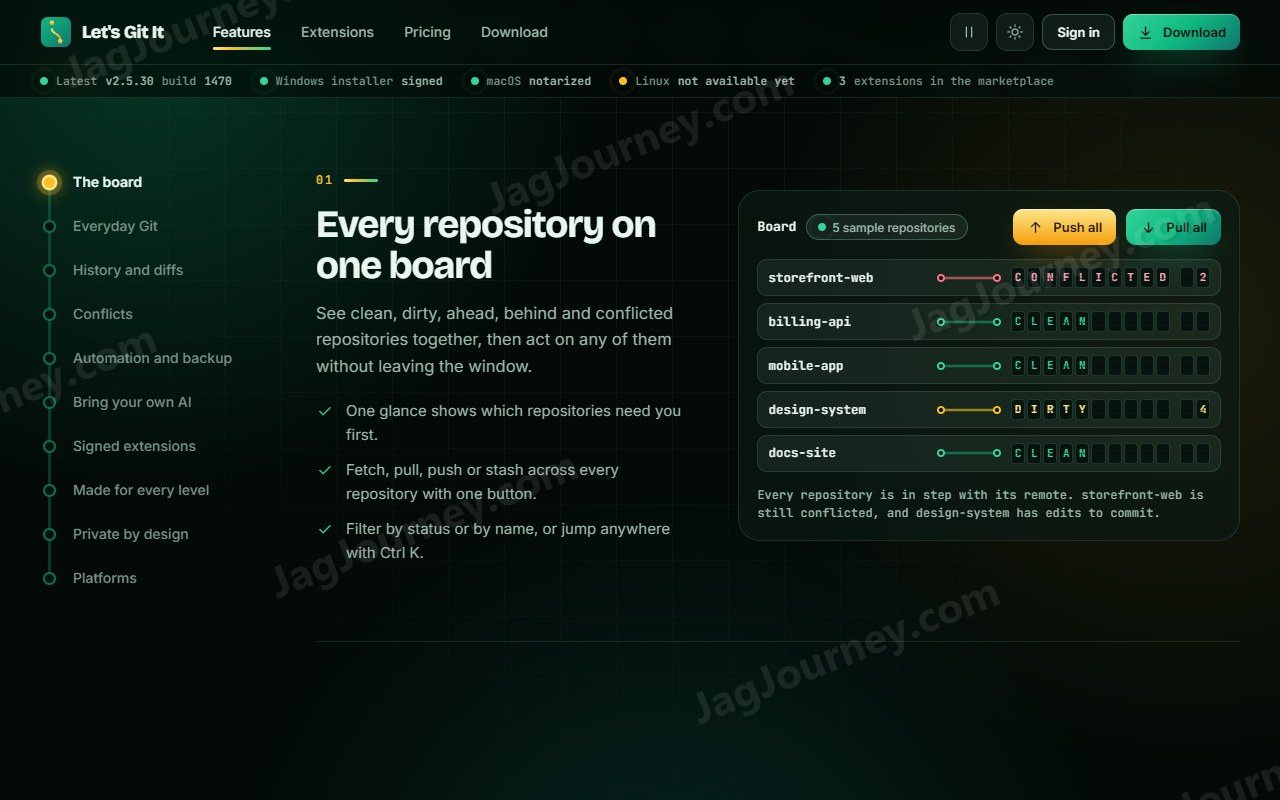
The board section of the Let's Git It features page, with five sample repositories, a split-flap status word beside each, and Push all and Pull all buttons
The board

One glance shows which repositories need you first.

Every repository sits on one board with its state beside it, so the day starts with the whole picture.
  • Fetch, pull, push, or stash across every repository with one button
  • Filter by status or by name, or jump anywhere with Ctrl K
  • Act on any repository without leaving the window
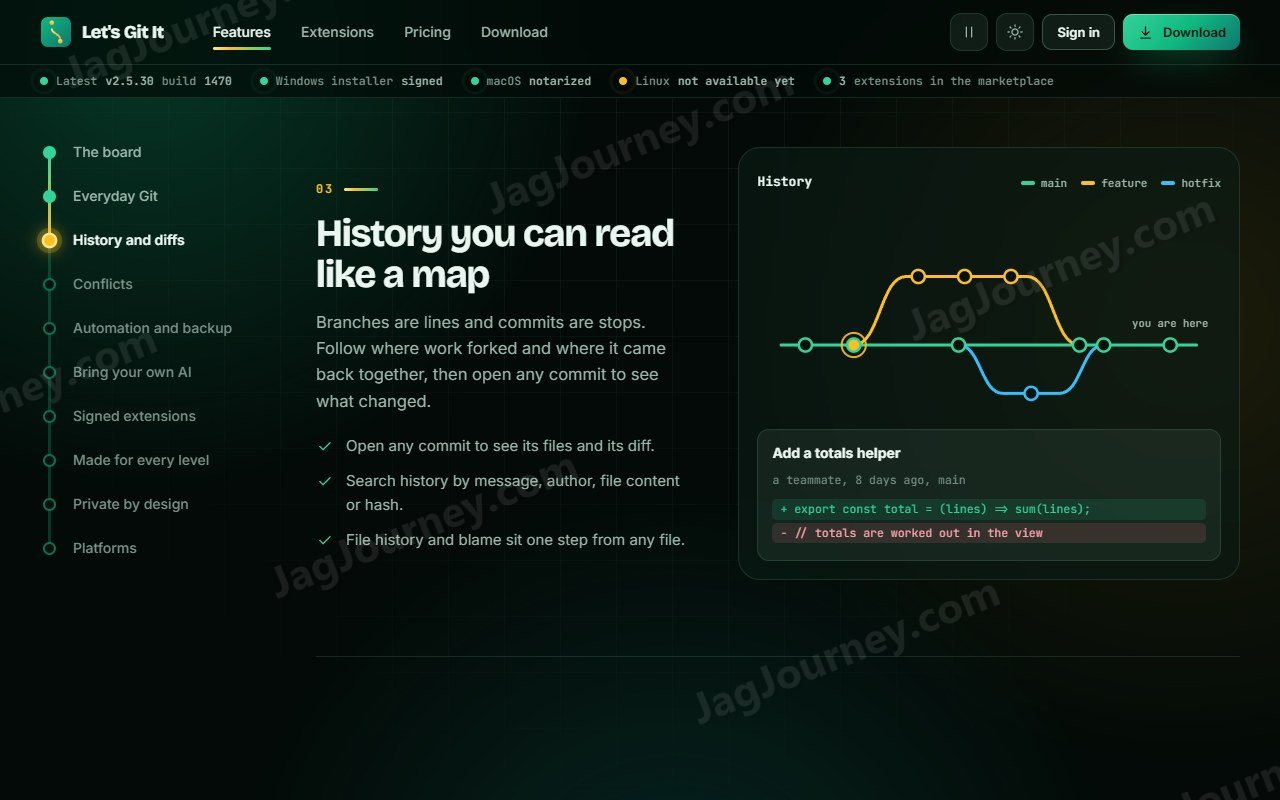
The history section of the Let's Git It features page, with main, feature and hotfix drawn as colored lines and one commit opened to show its diff
History and diffs

History you can read like a map.

Branches are lines and commits are stops. Follow where work forked and where it came back together, then open any commit to see what changed.
  • Open any commit to see its files and its diff
  • Search history by message, author, file, or hash
  • File history and blame sit one step from any file
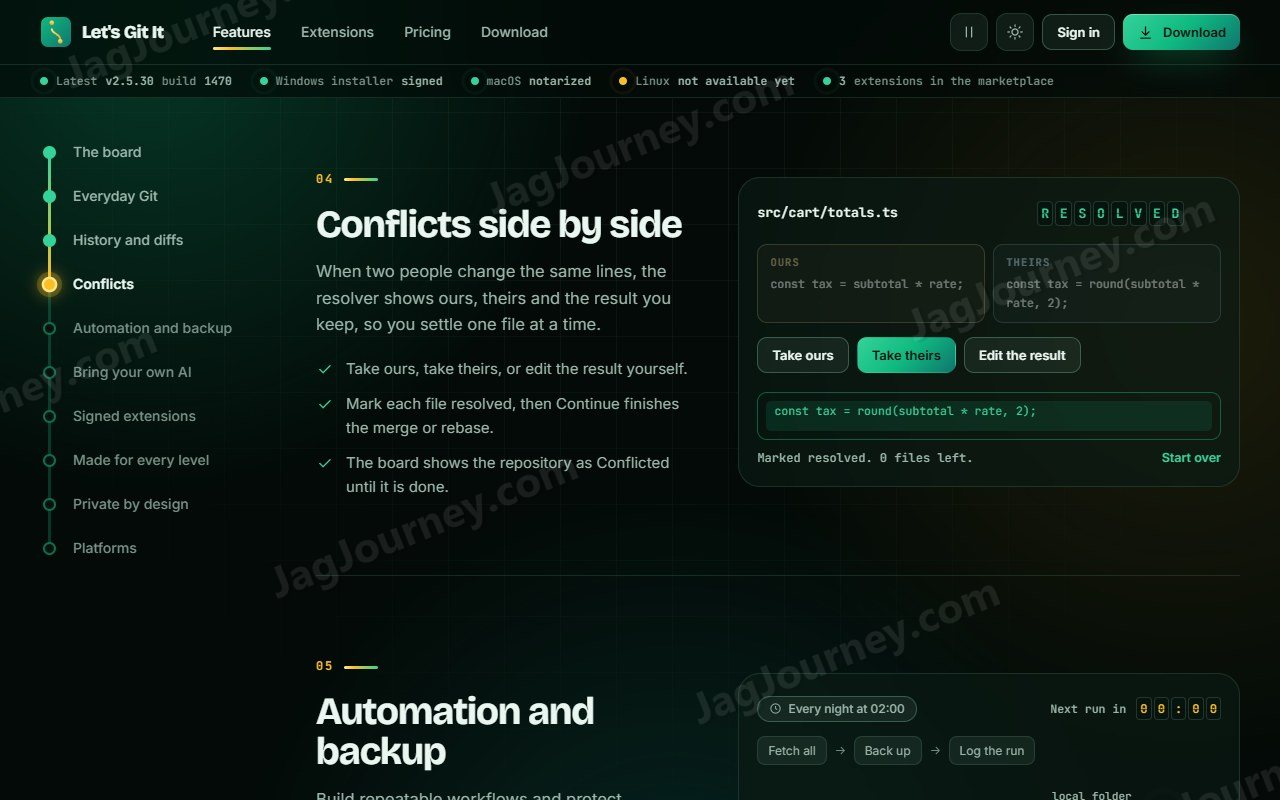
The conflicts section of the Let's Git It features page, with ours and theirs side by side above the result, and buttons to take ours, take theirs or edit the result
Conflicts

When two edits collide, settle them side by side.

The resolver shows ours, theirs, and the result you keep, so you settle one file at a time.
  • Take ours, take theirs, or edit the result yourself
  • Mark each file resolved, then Continue finishes the merge or rebase
  • The board shows the repository as Conflicted until it is done
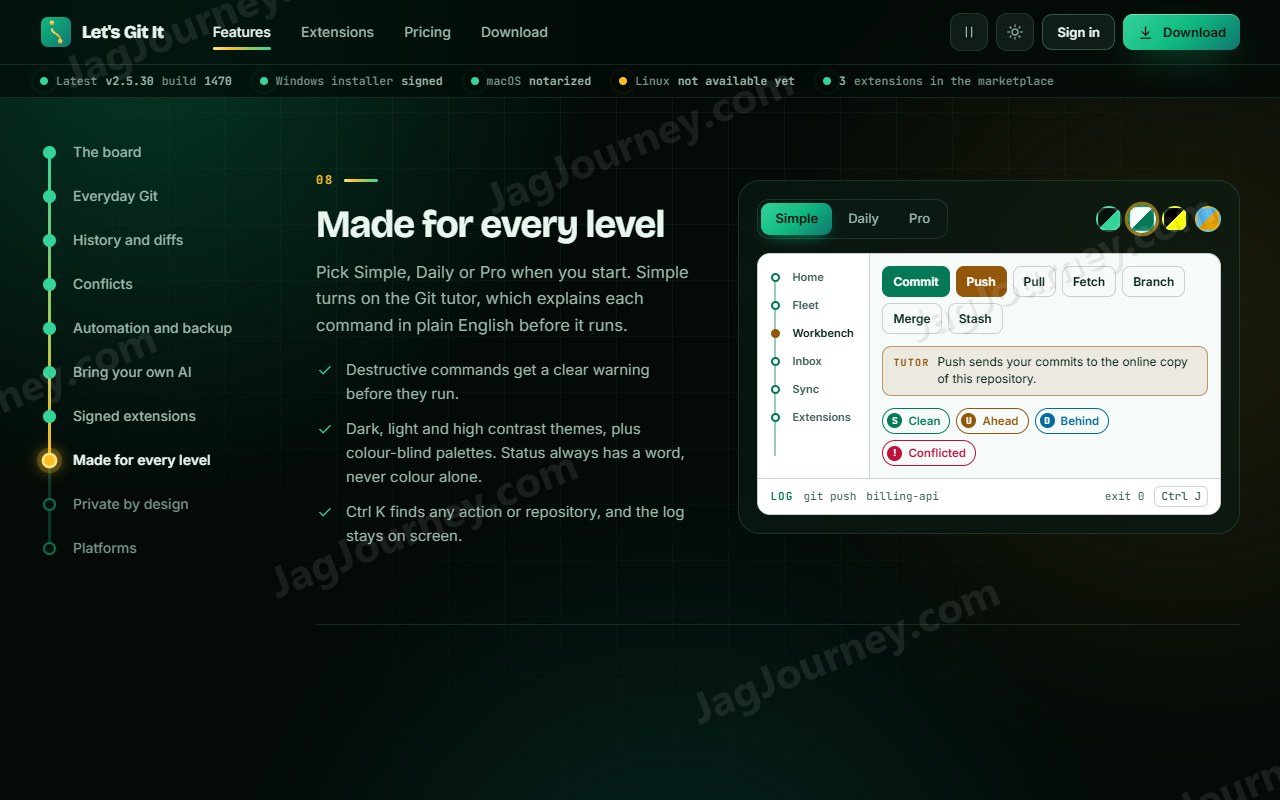
The Made for every level section of the Let's Git It features page, with Simple, Daily and Pro tabs and a tutor line that explains what Push does
Made for every level

Start on Simple. Move up when you are ready.

Pick Simple, Daily, or Pro when you start. Simple turns on the Git tutor, which explains each command in plain English before it runs.
  • Destructive commands get a clear warning before they run
  • Dark, light, and high contrast themes, plus color-blind palettes
  • Ctrl K finds any action or repository, and the log stays on screen
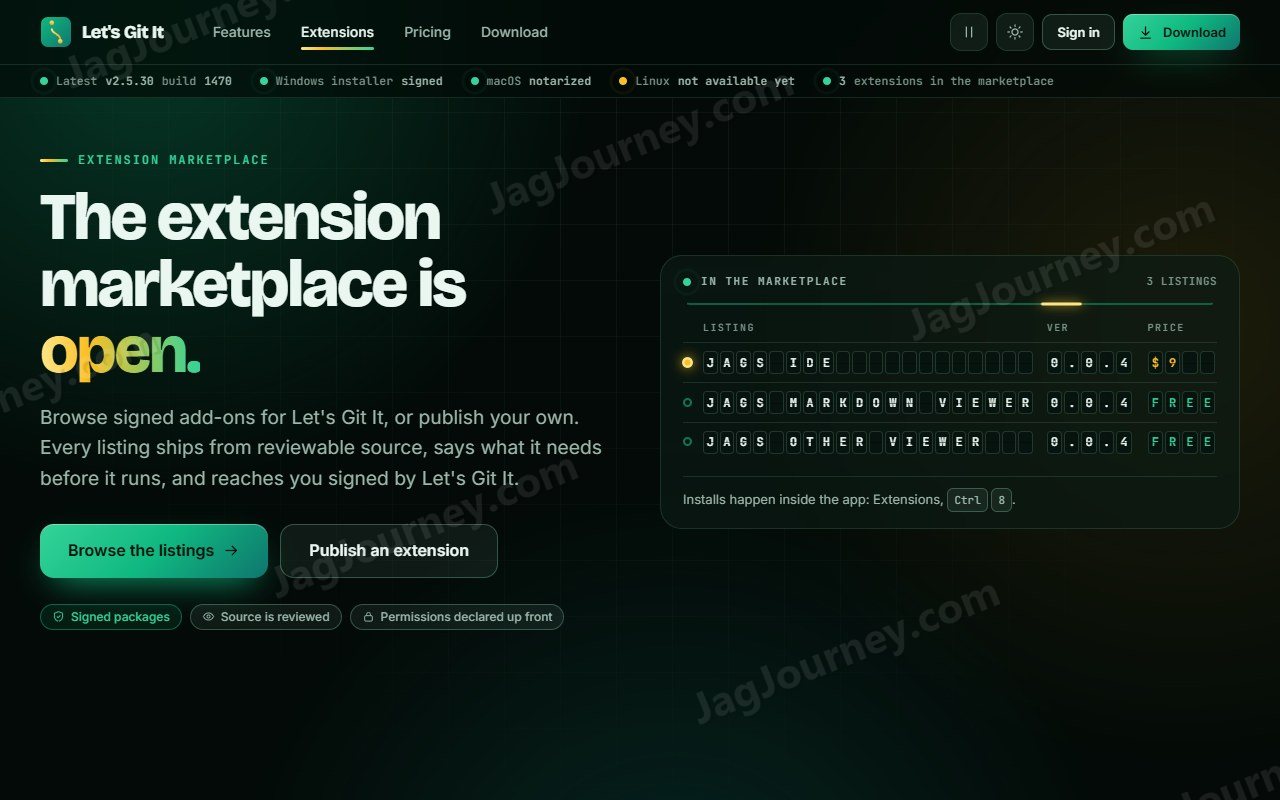
The top of the Let's Git It extension marketplace, headed The extension marketplace is open, with a split-flap board listing JAGs IDE, JAGs Markdown Viewer and JAGs Other Viewer
Extension marketplace

Add-ons that arrive signed and reviewed.

A publisher sends source. Let's Git It builds it, reviews it, and signs it, and the app checks that signature before an add-on installs.
  • JAGs IDE: a paid add-on with editor and language tooling, bought once and tied to your account
  • JAGs Markdown Viewer: a free viewer with Editor, Editor + Layout, and Layout views
  • JAGs Other Viewer: a free viewer for CSV, HTML, RTF, JSON, XML, calendars, and pasted PDF or Office files
  • You see what an add-on can read before you install it
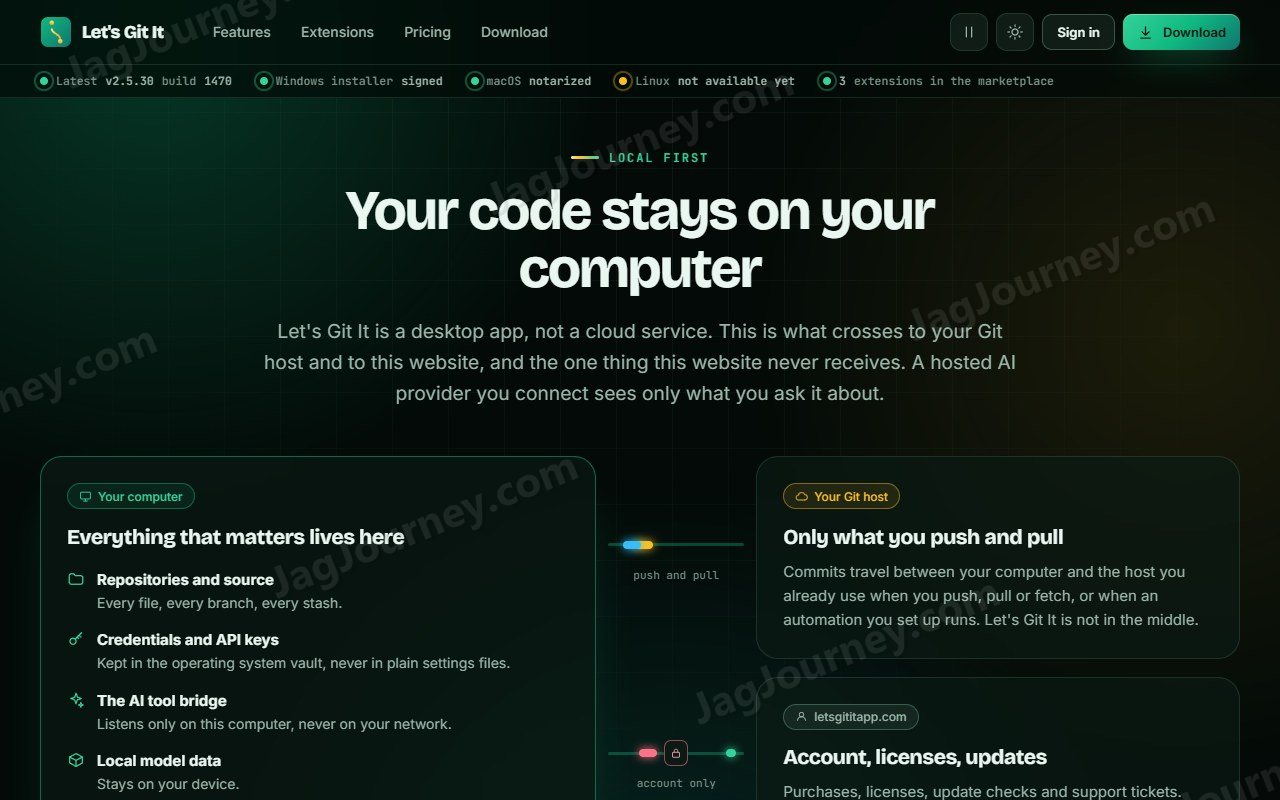
The Local first section of the Let's Git It website, headed Your code stays on your computer, with panels for your computer, your Git host and letsgititapp.com
Local first

Your code stays on your computer.

Let's Git It is a desktop app, not a cloud service. Git talks only to the hosts you set up, and AI requests go only to the provider you chose.

  • Repositories, source, credentials, and local model data stay on your device
  • API keys live in the operating system vault, never in a settings file
  • Secrets in a diff are redacted before an AI request leaves your computer
  • The website holds only your account, licenses, update checks, and support tickets

Anonymous usage events are on by default, and you can turn them off in Settings, General, Privacy. They never include your code, what is inside your repositories, or your Git passwords and tokens.
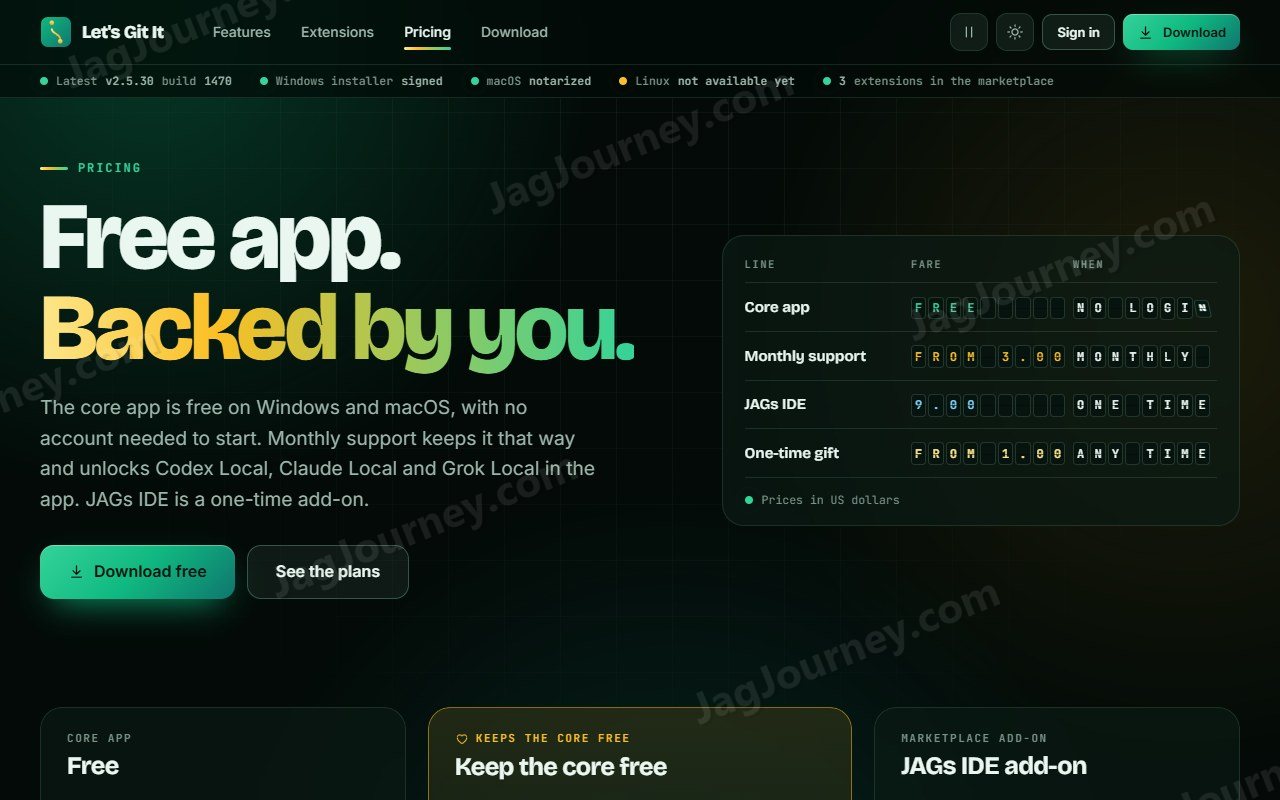
The top of the Let's Git It pricing page, headed Free app. Backed by you., with a split-flap board listing the core app, monthly support, JAGs IDE and a one-time gift
Pricing

Free app. Backed by the people who use it.

The core app is free on Windows and macOS. Support keeps it that way, and everything paid is optional.

  • Core app: free, with the board, everyday Git, history, conflicts, automation, and backup
  • Monthly support, in an amount you choose, unlocks Codex Local, Claude Local, and Grok Local in the app
  • JAGs IDE is a one-time add-on, not a subscription
  • A one-time gift is a thank-you and needs no account
How it works

From download to a working board.

Four stops, and every repository you work in is on one board.

01

Download it

Get the signed Windows installer from letsgititapp.com, or the Mac edition from the Mac App Store.

02

Install it

On Windows, run the one file. It installs for your user account. On a Mac, the App Store installs it like any other app.

03

Add your folders

Open Settings and add the folder that holds your repositories under Root folders. Every repository inside appears on the board.

04

Stay current

The Windows app updates itself from the website, and the Mac App Store edition updates through Apple.

Git needs to be installed on the computer, because push, pull, and fetch use it. The internet is only needed for fetch, pull, and push, updates, and the marketplace.

Let's Git It

Every repository. One workspace.

Download the free app for Windows and macOS on the Let's Git It website, or reach out with a question for our team.