How to Make Sure Emergency Alerts Reach Your Phone
When a wildfire, flash flood or tornado threatens, minutes matter. In the United States, authorized public safety officials can send Wireless Emergency Alerts straight to phones in the affected area. They are free, require no app and arrive with a distinctive sound and vibration.
But they only help if your phone is set up to receive them, and no single alert system is perfect. This guide covers your phone's settings, local alert sign-ups and the backups that make warnings more dependable.
How Wireless Emergency Alerts work #
Wireless Emergency Alerts are short messages sent by authorized government agencies through mobile carriers to compatible phones in a targeted area. Because they are broadcast to the area rather than sent to individual phone numbers, you receive alerts for wherever your phone is, which is helpful when traveling.
In the United States, alerts generally fall into these categories:
- National alerts, which cannot be turned off.
- Imminent threat alerts about extreme or severe dangers to life and property, such as evacuation orders or dangerous weather.
- AMBER Alerts about abducted children.
- Public safety messages with important but less urgent information.
- Test alerts, which some phones let you opt into.
Check your phone's alert settings #
Settings can be turned off by accident, during a phone setup, or by a well-meaning family member tired of late-night alerts.
On iPhone: open Settings, tap Notifications, and scroll to the very bottom to the Government Alerts section. Make sure Emergency Alerts and Public Safety Alerts are on. If you see an option to always deliver emergency alerts, consider turning it on so they can sound even when your phone is silenced or a Focus mode is active.
On Android: settings vary by manufacturer. Open Settings and search for "emergency alerts" or "wireless emergency alerts," often found under Safety and emergency or Notifications. Turn on extreme threats, severe threats and the other categories you want.
While you are there, check the same settings on the phones of older relatives and children in your family.
Sign up for local alerts #
Many counties and cities run their own opt-in alert systems that send texts, emails or calls about local emergencies, including evacuation zones and road closures. These are tied to the address you register, not to where your phone happens to be, which makes them a valuable complement to wireless alerts.
To find yours, visit your county or city's official government website and look for emergency management or emergency alerts. Register your home address, and consider adding the addresses of your workplace, children's schools and aging parents' homes if the system allows.
Build backups that do not depend on your phone #
Phones run out of battery, cell towers can be damaged and people sleep through notifications. Layer your warnings:
- A NOAA Weather Radio with battery backup and an alert feature can sound for weather warnings even when the power is out.
- Outdoor sirens, where they exist, are designed to warn people outdoors, not to wake you inside a closed house.
- Local radio and TV broadcast emergency information during major events.
- Neighbors and family can check on each other, especially for people who are hard of hearing or live alone.
Keep a charged power bank near your bed during fire, storm or hurricane season, and keep your phone charged and nearby overnight.
Where Swift Warning fits #
Official alerts tell you what authorities want you to do. Some people also want more context earlier, such as where a fire started and how far it is from the places they care about. We build Swift Warning, a mobile app that watches public data feeds for natural dangers around places you save, like home, work, family property, campsites and RV stops. Today it covers wildfires, smoke and air quality, and National Weather Service fire-weather watches, showing the incident, its distance, its source and readiness context on one map. Other hazards are in development.
Swift Warning is an independent app, not a government service. Always follow official alerts and instructions from local authorities.
Practice once, before you need it #
When your area runs a scheduled test alert, notice whether every phone in your household received it. If one did not, check its settings right away. Then spend ten minutes on a household plan for what you would do with an alert at 2 a.m. Our tech-ready family emergency plan walks through contacts, power and documents.
Frequently asked questions #
Why didn't my phone get an alert that others received? #
Common reasons include alert categories turned off in settings, an older phone or carrier configuration, weak signal, or being just outside the targeted area. Check your settings and sign up for your county's opt-in alerts as a backup.
Do emergency alerts cost money or use my data plan? #
No. Wireless Emergency Alerts are free and are not charged as text messages or data. You do not need to subscribe or download anything to receive them.
Can I turn off national alerts? #
No. National alerts cannot be disabled on phones in the United States. Other categories, such as AMBER Alerts and public safety messages, can usually be adjusted in settings.
Related Posts
A Tech-Ready Family Emergency Plan: Contacts, Power and Copies
When disaster strikes, phones become flashlights, maps, radios and lifelines. Here is how to prepare your family's devices, contacts, documents and power so technology helps instead of failing.
How to Back Up the Photos and Files on Your Phone
Your phone holds years of photos, messages and notes. Learn the difference between photo syncing and phone backups, how to keep a second copy, and what to check before you switch or lose a phone.
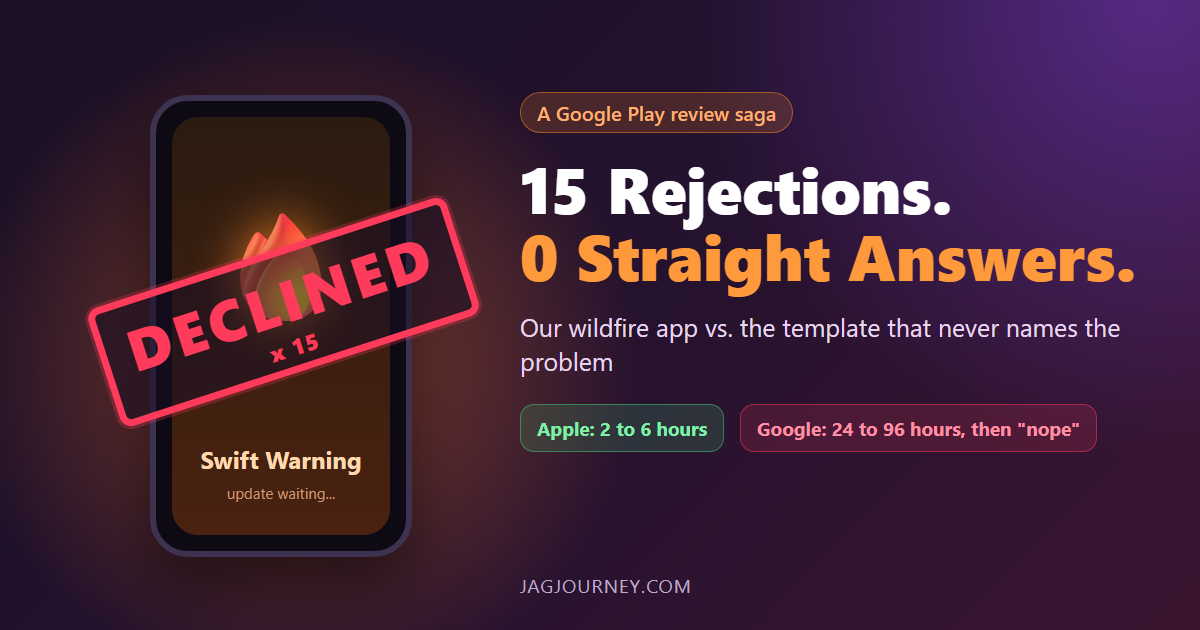
Fifteen Google Play Rejections and Not One Straight Answer
Apple approves our wildfire app Swift Warning in 2 to 6 hours. Google Play takes 24 to 96 hours, then declines it, 15 times since August, mostly without naming the problem. A funny, factual look at the loop and the safety updates it holds back.
How to Choose a Password Manager: Cloud Sync or Local Vault
A password manager is the single best security upgrade most people can make. Here is how cloud and local vaults differ and what to check before you trust one with everything.
The 3-2-1 Backup Rule Explained With a Small Office Plan
The 3-2-1 rule is the simplest reliable backup strategy: three copies, two kinds of storage, one offsite. Here is what it means and a practical plan a small office or household can set up this week.
Comments (0)
Sign in or sign up to comment.
No comments yet. Be the first to share your thoughts!